

It is mandatory to set up your google reCAPTCHA v2 api key to work of your register page. follow below step to get you own captcha key.
Step 01: click on v2 Admin Console to go admin console
Step 02: Register a new site
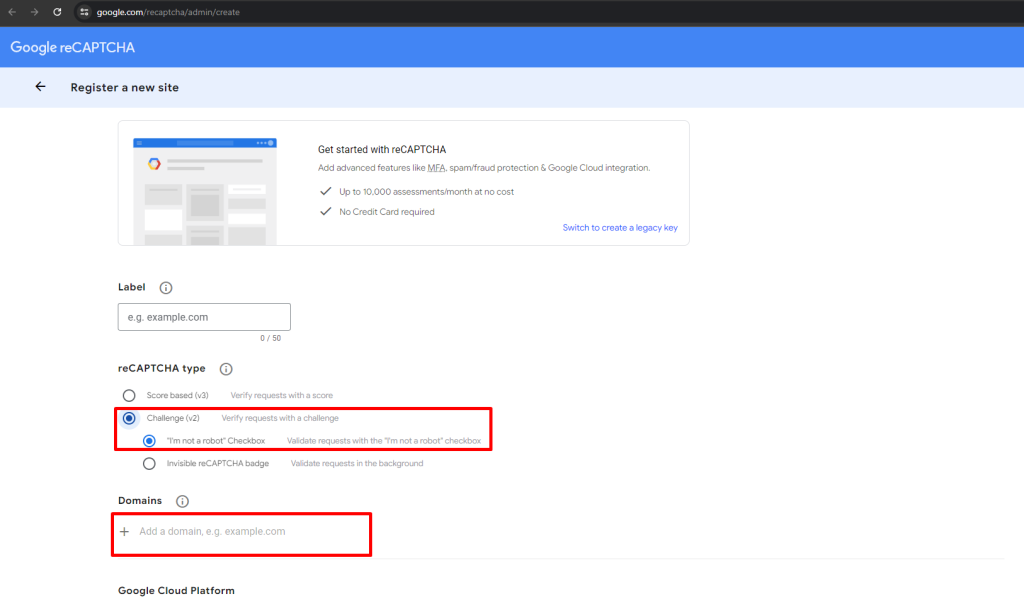
- Step 03: enter label for recognise it later
- Step 04: select reCAPTCHA type to reCAPTCHA v2
- Step 05: enter your Domains
- Step 06: add Owners
- Step 07: Accept the reCAPTCHA Terms of Service
- Step 08: click on submit button, Your API keys will be generated.
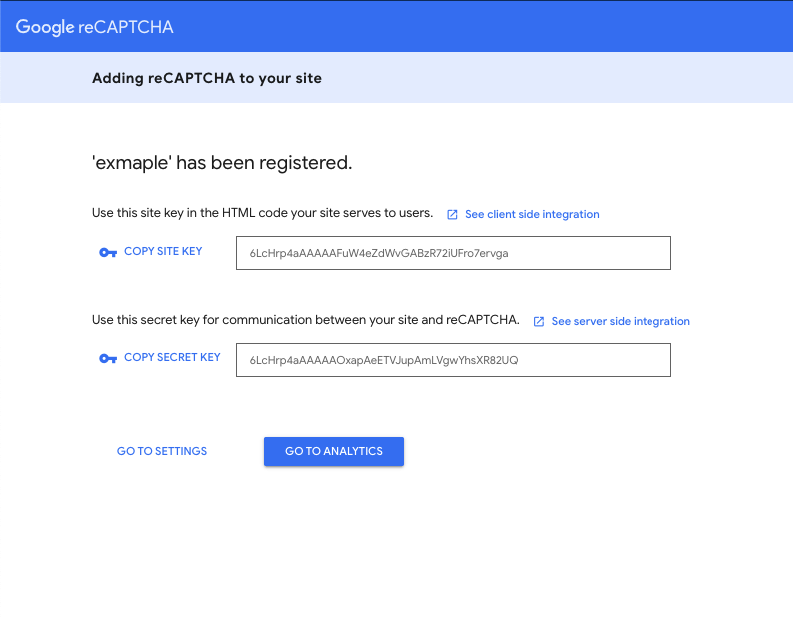
Step 09: Now you have to add those captcha keys to admin panel “Page Settings->Register Recaptcha Settings”
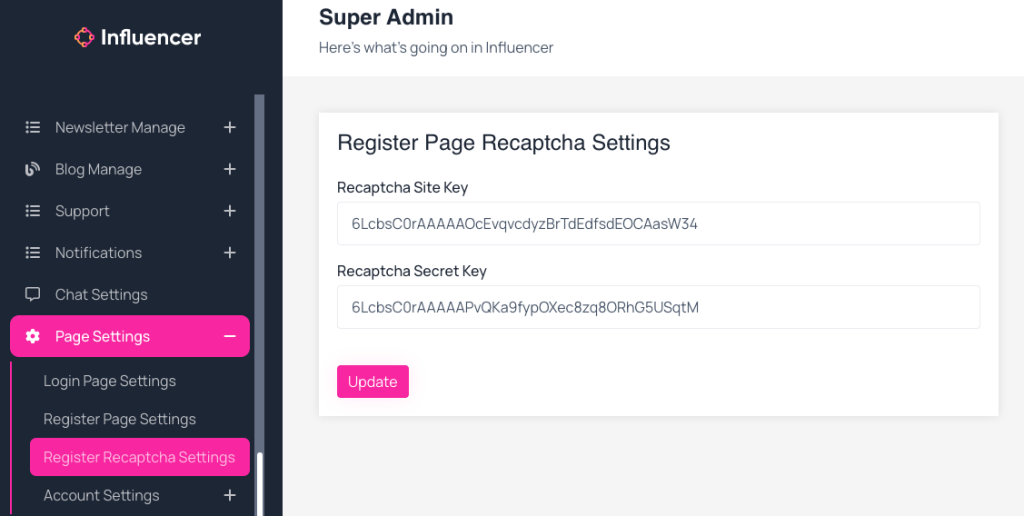
- Google Captcha V2 Site Key: copy google captcha v2 site key and paste it here
- Google Captcha V2 Secret Key: copy google captcha v2 secret key and paste it here