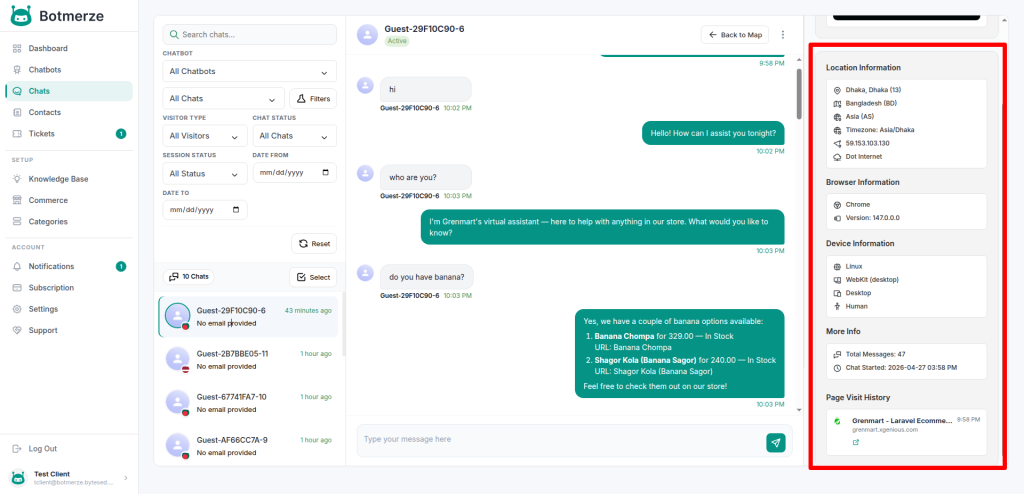

The Chat List page displays all conversations handled by your chatbots in one central location, making it easy to monitor visitor activity and manage customer interactions.
You can also view a visitor map that shows the locations of users visiting your website.
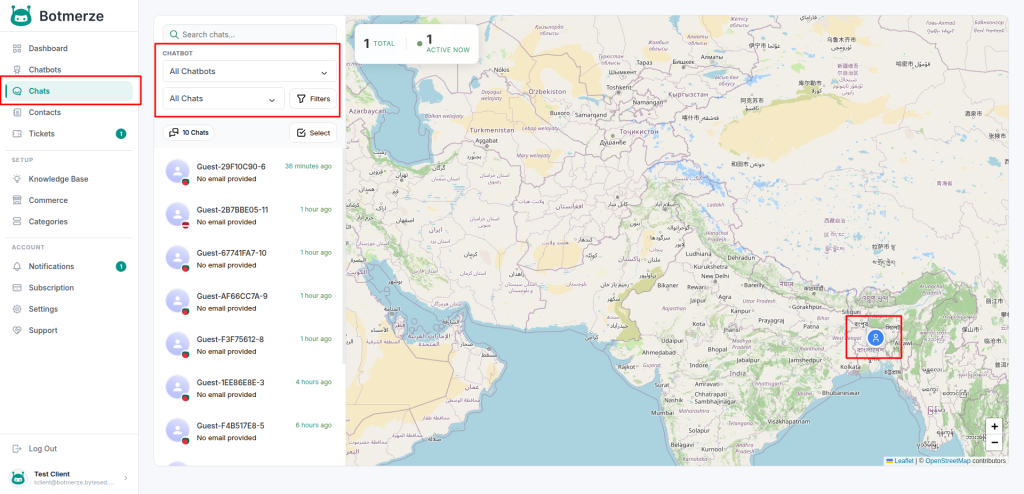
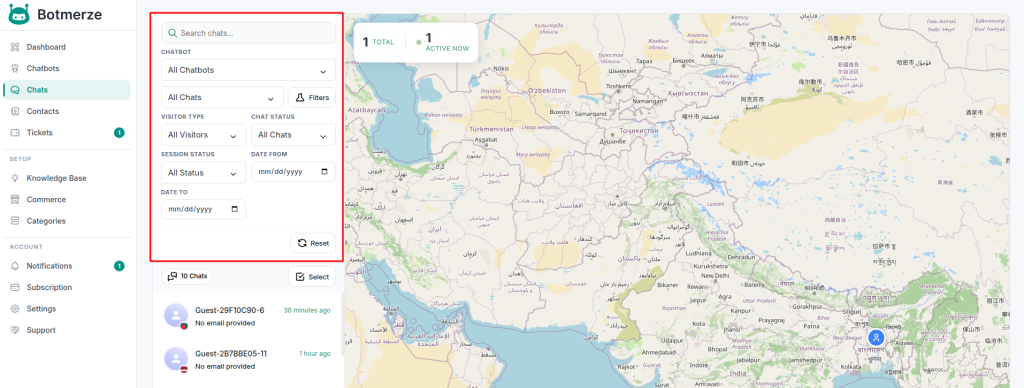
By default, the page displays conversations from all visitors. You can use the available filters to organize chats based on your needs.
Filter & Search Options
You can filter conversations by:
- Specific chatbot
- Read chats
- Unread chats
- Recent conversations
A search option is also available to quickly find visitors or specific chat sessions.
Chat Management
From this page, you can perform the following actions:
- Open any conversation to view the full chat history
- Mark chats as read or unread
- Delete individual chat sessions from the conversation details page
- Delete multiple chat records using bulk actions
- Review chatbot responses and visitor messages
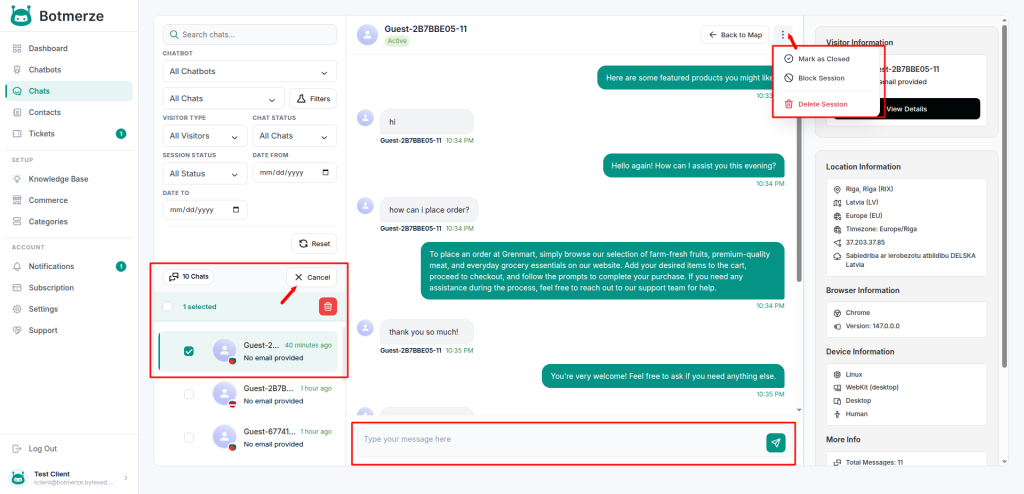
Human Intervention
If Human Intervention is enabled for a chatbot, you can manually reply to visitors directly from the chat conversation page. This helps when a user needs personal assistance or when manual support is required.
Visitor Details
Inside each conversation, you can view detailed visitor information, including:
- Visitor location details
- Browser name and version
- Device type (Desktop, Mobile, Tablet)
- Operating system information
- Visited page history