
All Contacts
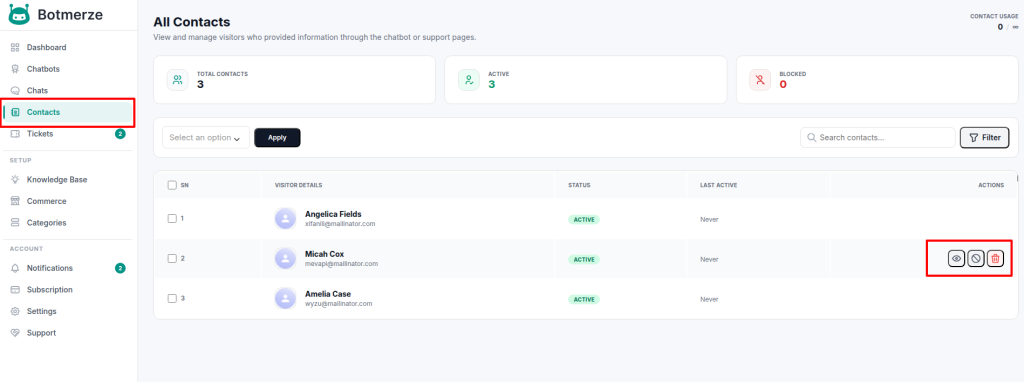
This page displays the contacts of visitors who have submitted information through the chatbot or the hosted ticket page.
From this page, you can:
- Search and Filter: Easily find specific contacts using the search and filter options.
- Bulk Actions: Perform actions on multiple contacts at once.
In the Actions column of the data table, you have the following options for each contact:
- View Details: See complete information about the contact.
- Block Contact: Prevent the contact from submitting further tickets or messages.
- Delete: Permanently remove the contact from the system.